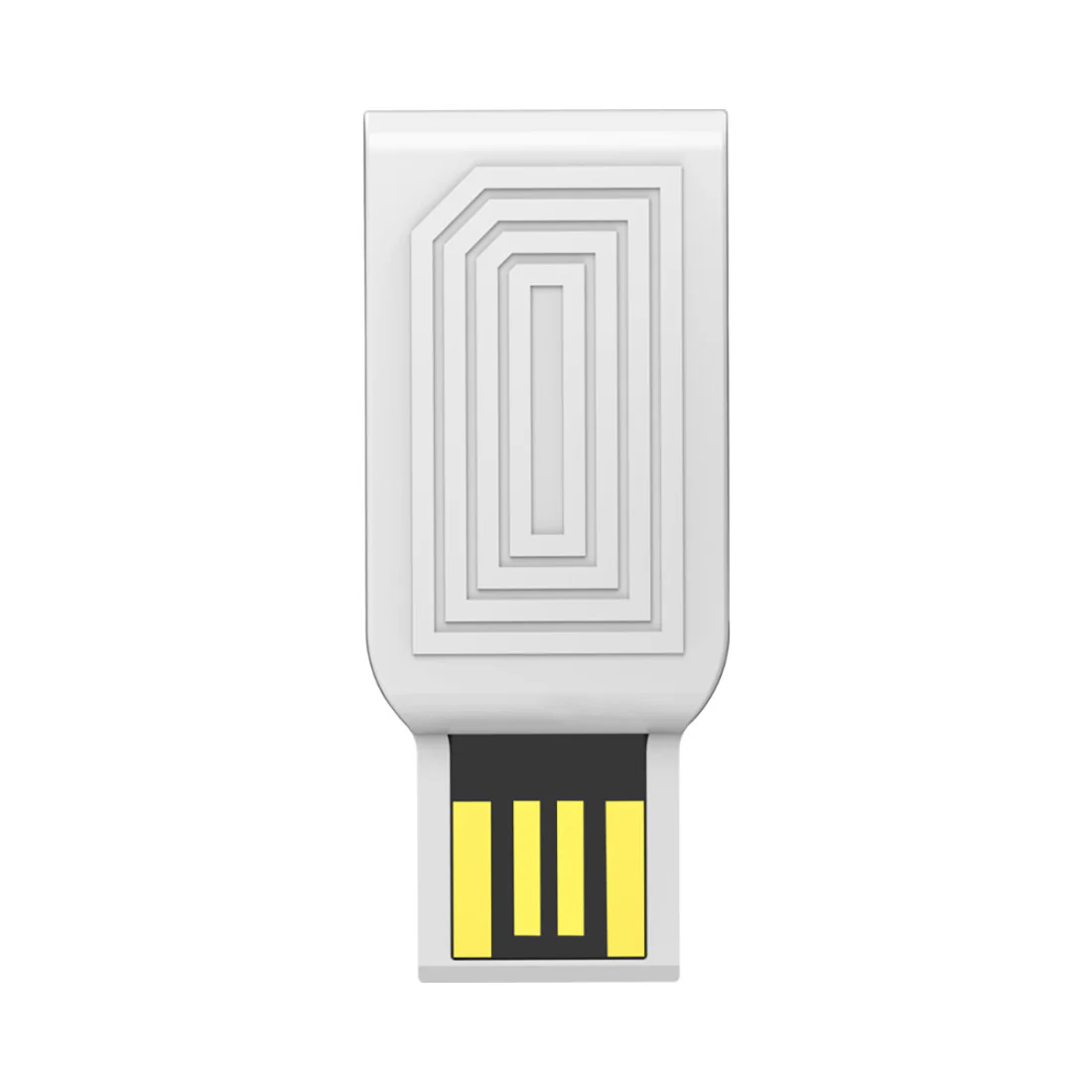
USB Bluetooth Adapter
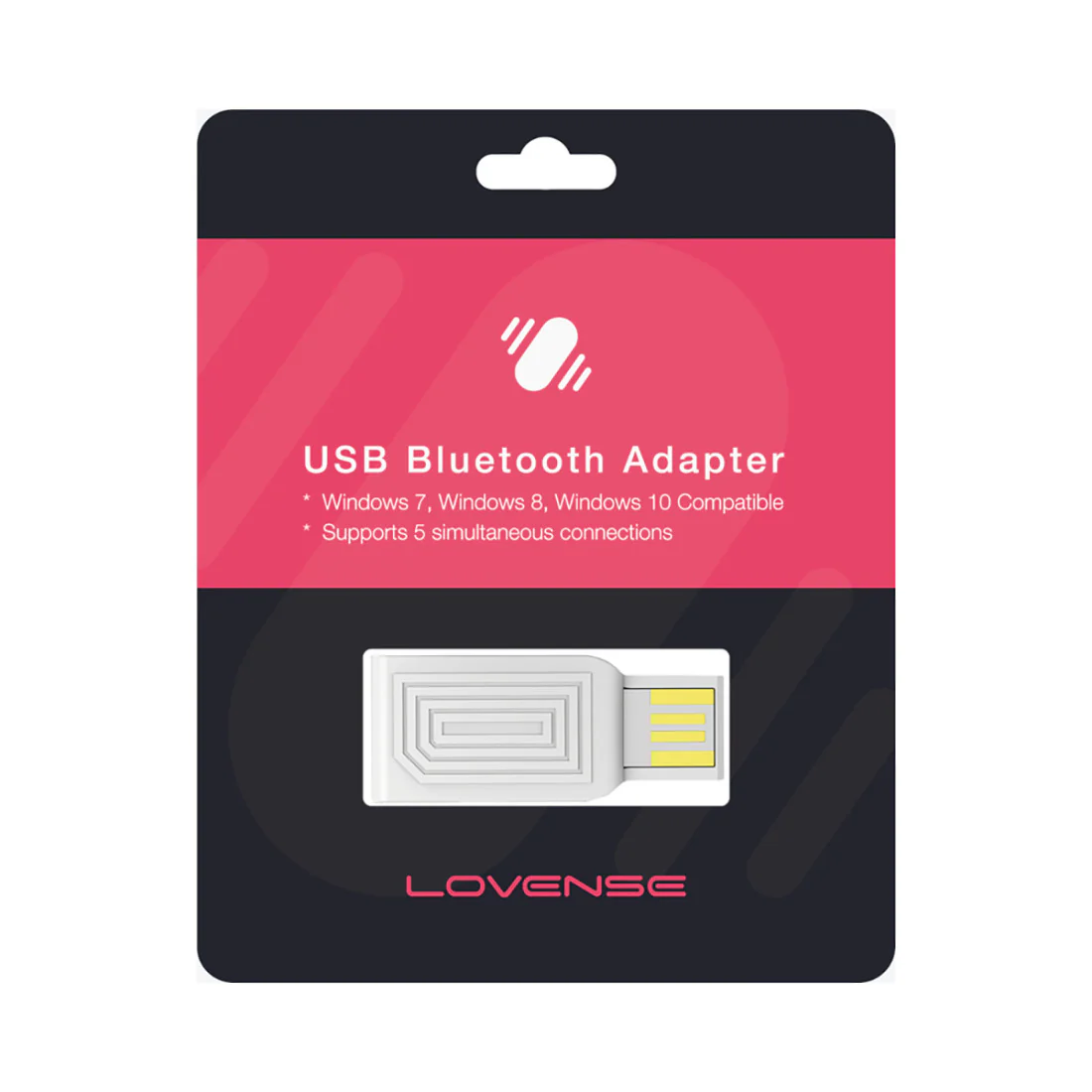
Lovense USB Bluetooth Adapter connects any Lovense toy to a Windows PC.
Compatible with Windows 7, Windows 8 and Windows 10.
Lovense USB Bluetooth Adapter features:
- Connects Lovense toys to Windows PCs for uninterrupted play
- Required for using Lovense Remote App on PC for local/long-distance control
- Ideal for cam performers, app developers, and virtual interactions
- Provides a more stable Bluetooth connection compared to built-in options
- Plug-and-play device—no drivers needed
- Compatible only with Lovense toys; not for other Bluetooth devices
- Strong connection range: up to 10 feet/3 meters
Size and material:
- Dimensions: approx. 1.5 in / 38 mm long
- Weight: extremely lightweight (under 1 oz)
- Material: ABS plastic exterior with internal Bluetooth chip
🔥 Pleasure Scale™ Rating
This Toy: 🧪 Curiosity Satisfied
Fun to try, might not be your forever fave.
Great for experimentation or first-timers dipping their toes in.
Who is this Bluetooth adapter for?
The Lovense USB Bluetooth Adapter is a great choice for:
- Cam models and streamers who want to sync Lovense toys with webcam platforms via their PC.
- Long-distance partners who prefer to connect via desktop rather than a mobile device.
- Tech-savvy users who want uninterrupted control using their computer instead of a phone or tablet.
- People in spotty Wi-Fi areas where mobile Bluetooth or app control has lag or drops.
How to use the Lovense USB Bluetooth Adapter?
- Plug it in: Insert the USB adapter into a free USB port on your Windows PC.
- Download the Lovense Remote App: Install the Windows version from the official Lovense website.
- Pair your toy: Follow the in-app instructions to pair your Lovense toy via the adapter connection, not your PC’s built-in Bluetooth.
- Stay within range: Keep your toy within 10 feet of the adapter for best performance.
- Start exploring: Use the app to control patterns, connect long-distance, or sync with video/chat platforms.
Great positions to try:
- Sitting upright: Comfortably use your PC while hands-free toys do the work.
- Reclined on a chair: Ideal for solo play during digital conversations or chat.
- Lying face-up in bed: Great for partnered control or cam performance with the laptop within range.
How to clean and care for the Lovense USB Bluetooth Adapter?
- Cleaning: Wipe gently with a dry or slightly damp cloth—do not submerge in water.
- Lubricant compatibility: Keep away from lubes and liquids; not a body-safe device.
- Storage: Store in a protective pouch or your toy box to avoid dust or debris inside the USB plug.
Bluetooth adapter practical use info:
- Versatility: Especially useful for people whose PCs lack reliable built-in Bluetooth.
- Stimulation enhancement: Allows more stable toy syncing, reducing lag and boosting connection with your partner or audience.
- Accessibility: Enables hands-free and remote play for people who prefer typing or desktop control.
Additional information:
- System compatibility: Works with Windows systems only—Mac OS currently not supported.
- Single-toy pairing: Recommended to use only one adapter per toy connection for optimal performance.
- No driver needed: Adapter installs automatically when plugged in (plug-and-play).
Special considerations when using Lovense USB Bluetooth Adapter:
- Port access: Requires a usable USB-A port on your Windows PC (may need an adapter for USB-C only devices).
- Radio interference: Keep away from other wireless hubs or routers to reduce interference in toy connection.
- Device awareness: Make sure your computer recognizes the correct adapter—avoid pairing through built-in Bluetooth settings.
- Environment: Avoid extremely hot or cold environments to maintain the integrity of the internal chip.
User experience tips:
- 💡 Label your adapter: If you're a frequent user or cam model, labeling each adapter can help avoid accidental cross-connect issues.
- 💡 Dedicate a USB slot: Keep it plugged into the same USB port each time to avoid Windows pairing confusion.
- 💡 Avoid plug-in hubs: For the most stable connection, plug the adapter directly into your computer, not a USB hub or extension.
- 💡 Restart app before troubleshooting: If you lose connection, close and reopen the Lovense app before unplugging the adapter.
- 💡 Try solo control first: Get comfortable using the adapter solo before introducing it into live or partnered use—this helps ensure a smoother experience.
- 💡 Travel tip: Keep it in a small hard case if you travel with it to prevent USB connector damage.
Product Information
Product Information
Shipping & Returns
Shipping & Returns
USB Bluetooth Adapter
USB Bluetooth Adapter
Lovense USB Bluetooth Adapter connects any Lovense toy to a Windows PC.
Compatible with Windows 7, Windows 8 and Windows 10.
Lovense USB Bluetooth Adapter features:
- Connects Lovense toys to Windows PCs for uninterrupted play
- Required for using Lovense Remote App on PC for local/long-distance control
- Ideal for cam performers, app developers, and virtual interactions
- Provides a more stable Bluetooth connection compared to built-in options
- Plug-and-play device—no drivers needed
- Compatible only with Lovense toys; not for other Bluetooth devices
- Strong connection range: up to 10 feet/3 meters
Size and material:
- Dimensions: approx. 1.5 in / 38 mm long
- Weight: extremely lightweight (under 1 oz)
- Material: ABS plastic exterior with internal Bluetooth chip
🔥 Pleasure Scale™ Rating
This Toy: 🧪 Curiosity Satisfied
Fun to try, might not be your forever fave.
Great for experimentation or first-timers dipping their toes in.
Who is this Bluetooth adapter for?
The Lovense USB Bluetooth Adapter is a great choice for:
- Cam models and streamers who want to sync Lovense toys with webcam platforms via their PC.
- Long-distance partners who prefer to connect via desktop rather than a mobile device.
- Tech-savvy users who want uninterrupted control using their computer instead of a phone or tablet.
- People in spotty Wi-Fi areas where mobile Bluetooth or app control has lag or drops.
How to use the Lovense USB Bluetooth Adapter?
- Plug it in: Insert the USB adapter into a free USB port on your Windows PC.
- Download the Lovense Remote App: Install the Windows version from the official Lovense website.
- Pair your toy: Follow the in-app instructions to pair your Lovense toy via the adapter connection, not your PC’s built-in Bluetooth.
- Stay within range: Keep your toy within 10 feet of the adapter for best performance.
- Start exploring: Use the app to control patterns, connect long-distance, or sync with video/chat platforms.
Great positions to try:
- Sitting upright: Comfortably use your PC while hands-free toys do the work.
- Reclined on a chair: Ideal for solo play during digital conversations or chat.
- Lying face-up in bed: Great for partnered control or cam performance with the laptop within range.
How to clean and care for the Lovense USB Bluetooth Adapter?
- Cleaning: Wipe gently with a dry or slightly damp cloth—do not submerge in water.
- Lubricant compatibility: Keep away from lubes and liquids; not a body-safe device.
- Storage: Store in a protective pouch or your toy box to avoid dust or debris inside the USB plug.
Bluetooth adapter practical use info:
- Versatility: Especially useful for people whose PCs lack reliable built-in Bluetooth.
- Stimulation enhancement: Allows more stable toy syncing, reducing lag and boosting connection with your partner or audience.
- Accessibility: Enables hands-free and remote play for people who prefer typing or desktop control.
Additional information:
- System compatibility: Works with Windows systems only—Mac OS currently not supported.
- Single-toy pairing: Recommended to use only one adapter per toy connection for optimal performance.
- No driver needed: Adapter installs automatically when plugged in (plug-and-play).
Special considerations when using Lovense USB Bluetooth Adapter:
- Port access: Requires a usable USB-A port on your Windows PC (may need an adapter for USB-C only devices).
- Radio interference: Keep away from other wireless hubs or routers to reduce interference in toy connection.
- Device awareness: Make sure your computer recognizes the correct adapter—avoid pairing through built-in Bluetooth settings.
- Environment: Avoid extremely hot or cold environments to maintain the integrity of the internal chip.
User experience tips:
- 💡 Label your adapter: If you're a frequent user or cam model, labeling each adapter can help avoid accidental cross-connect issues.
- 💡 Dedicate a USB slot: Keep it plugged into the same USB port each time to avoid Windows pairing confusion.
- 💡 Avoid plug-in hubs: For the most stable connection, plug the adapter directly into your computer, not a USB hub or extension.
- 💡 Restart app before troubleshooting: If you lose connection, close and reopen the Lovense app before unplugging the adapter.
- 💡 Try solo control first: Get comfortable using the adapter solo before introducing it into live or partnered use—this helps ensure a smoother experience.
- 💡 Travel tip: Keep it in a small hard case if you travel with it to prevent USB connector damage.
Original: $18.36
-70%$18.36
$5.51Product Information
Product Information
Shipping & Returns
Shipping & Returns
Description
Lovense USB Bluetooth Adapter connects any Lovense toy to a Windows PC.
Compatible with Windows 7, Windows 8 and Windows 10.
Lovense USB Bluetooth Adapter features:
- Connects Lovense toys to Windows PCs for uninterrupted play
- Required for using Lovense Remote App on PC for local/long-distance control
- Ideal for cam performers, app developers, and virtual interactions
- Provides a more stable Bluetooth connection compared to built-in options
- Plug-and-play device—no drivers needed
- Compatible only with Lovense toys; not for other Bluetooth devices
- Strong connection range: up to 10 feet/3 meters
Size and material:
- Dimensions: approx. 1.5 in / 38 mm long
- Weight: extremely lightweight (under 1 oz)
- Material: ABS plastic exterior with internal Bluetooth chip
🔥 Pleasure Scale™ Rating
This Toy: 🧪 Curiosity Satisfied
Fun to try, might not be your forever fave.
Great for experimentation or first-timers dipping their toes in.
Who is this Bluetooth adapter for?
The Lovense USB Bluetooth Adapter is a great choice for:
- Cam models and streamers who want to sync Lovense toys with webcam platforms via their PC.
- Long-distance partners who prefer to connect via desktop rather than a mobile device.
- Tech-savvy users who want uninterrupted control using their computer instead of a phone or tablet.
- People in spotty Wi-Fi areas where mobile Bluetooth or app control has lag or drops.
How to use the Lovense USB Bluetooth Adapter?
- Plug it in: Insert the USB adapter into a free USB port on your Windows PC.
- Download the Lovense Remote App: Install the Windows version from the official Lovense website.
- Pair your toy: Follow the in-app instructions to pair your Lovense toy via the adapter connection, not your PC’s built-in Bluetooth.
- Stay within range: Keep your toy within 10 feet of the adapter for best performance.
- Start exploring: Use the app to control patterns, connect long-distance, or sync with video/chat platforms.
Great positions to try:
- Sitting upright: Comfortably use your PC while hands-free toys do the work.
- Reclined on a chair: Ideal for solo play during digital conversations or chat.
- Lying face-up in bed: Great for partnered control or cam performance with the laptop within range.
How to clean and care for the Lovense USB Bluetooth Adapter?
- Cleaning: Wipe gently with a dry or slightly damp cloth—do not submerge in water.
- Lubricant compatibility: Keep away from lubes and liquids; not a body-safe device.
- Storage: Store in a protective pouch or your toy box to avoid dust or debris inside the USB plug.
Bluetooth adapter practical use info:
- Versatility: Especially useful for people whose PCs lack reliable built-in Bluetooth.
- Stimulation enhancement: Allows more stable toy syncing, reducing lag and boosting connection with your partner or audience.
- Accessibility: Enables hands-free and remote play for people who prefer typing or desktop control.
Additional information:
- System compatibility: Works with Windows systems only—Mac OS currently not supported.
- Single-toy pairing: Recommended to use only one adapter per toy connection for optimal performance.
- No driver needed: Adapter installs automatically when plugged in (plug-and-play).
Special considerations when using Lovense USB Bluetooth Adapter:
- Port access: Requires a usable USB-A port on your Windows PC (may need an adapter for USB-C only devices).
- Radio interference: Keep away from other wireless hubs or routers to reduce interference in toy connection.
- Device awareness: Make sure your computer recognizes the correct adapter—avoid pairing through built-in Bluetooth settings.
- Environment: Avoid extremely hot or cold environments to maintain the integrity of the internal chip.
User experience tips:
- 💡 Label your adapter: If you're a frequent user or cam model, labeling each adapter can help avoid accidental cross-connect issues.
- 💡 Dedicate a USB slot: Keep it plugged into the same USB port each time to avoid Windows pairing confusion.
- 💡 Avoid plug-in hubs: For the most stable connection, plug the adapter directly into your computer, not a USB hub or extension.
- 💡 Restart app before troubleshooting: If you lose connection, close and reopen the Lovense app before unplugging the adapter.
- 💡 Try solo control first: Get comfortable using the adapter solo before introducing it into live or partnered use—this helps ensure a smoother experience.
- 💡 Travel tip: Keep it in a small hard case if you travel with it to prevent USB connector damage.